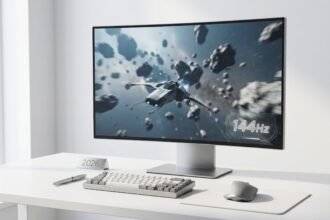

Open any modern game, console setting, or monitor listing, and you will see frame rate numbers everywhere. 30, 60, 120, 144, 240. These numbers are often treated like simple upgrades, but in reality, they affect how smooth, responsive, and immersive your experience feels.
The challenge is that not every jump in frame rate feels equally important, and not every user benefits from chasing higher numbers.
Why the Differences Are Real and Visible
There is a long-standing myth that humans cannot see beyond 60 FPS. This idea comes from misunderstanding how human vision works. The eye does not process motion in fixed frames. Instead, the brain interprets continuous visual changes, and it is highly sensitive to timing differences between updates.
As frame rate increases, three major improvements happen:
- Motion becomes smoother because objects move shorter distances between frames
- Motion blur is reduced, especially during fast camera movement
- Input latency decreases because the screen updates more frequently
The jump from 30 to 60 FPS is the most dramatic because it cuts frame time in half. After that, improvements continue but become more subtle. However, in fast-paced environments like competitive gaming, even small gains can matter.
Another important factor is frame consistency. A stable frame rate often feels smoother than a higher but unstable one. For example, a steady 90 FPS can feel better than a fluctuating 120 FPS that frequently drops.
Understanding Frame Time (Why FPS Actually Feels Different)
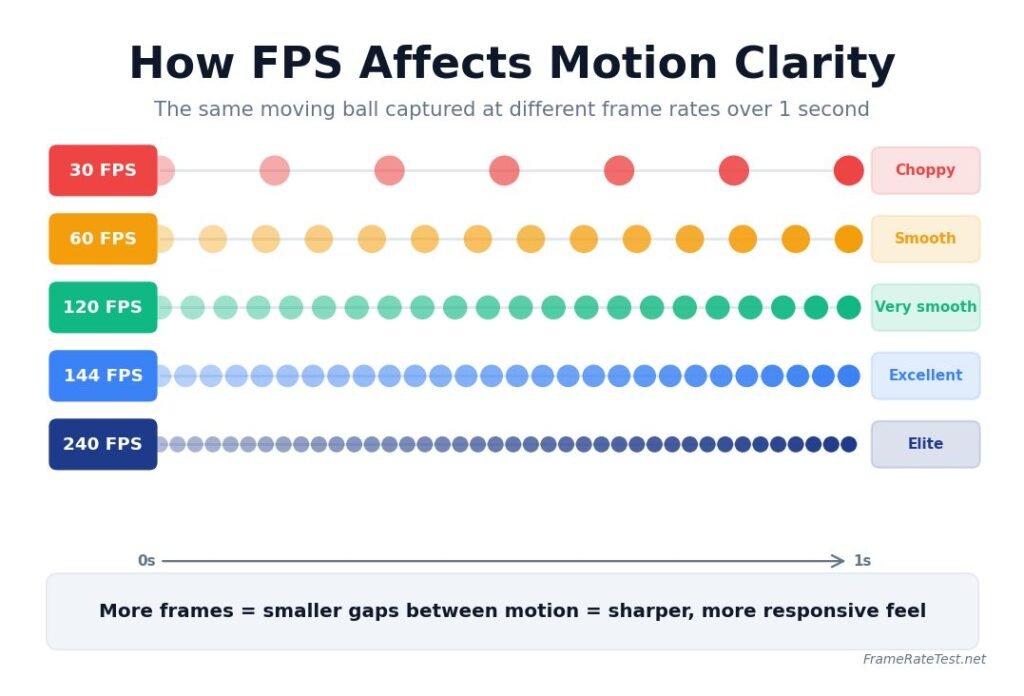
To truly understand FPS, you need to look at frame time, which is the delay between each frame.
- 30 FPS equals 33.3 milliseconds per frame
- 60 FPS equals 16.6 milliseconds
- 120 FPS equals 8.3 milliseconds
- 144 FPS equals 6.9 milliseconds
- 240 FPS equals 4.16 milliseconds
Lower frame time means your screen updates faster. This directly affects:
- How quickly you see your actions
- How smooth the motion appears
- How responsive controls feel
This is why higher FPS is not just about visuals. It also improves how the system feels to use.
30 FPS
30 FPS is the lowest level where motion still feels continuous.
Visual experience
Motion appears uneven during fast movement. Slow scenes look acceptable, but quick camera pans or action sequences reveal clear stutter.
Responsiveness
Input delay is noticeable. Actions feel slightly delayed because updates happen every 33 milliseconds.
Where it is used
- Story-driven console games
- Movies and cinematic content
- Low-end hardware and mobile devices
Example
In a racing game at 30 FPS, turning a corner feels less precise because the car’s position updates less frequently. This makes control harder compared to higher frame rates.
When it is acceptable
- Watching films
- Playing slow-paced games
- Systems that cannot handle higher performance
For anything competitive, 30 FPS is a major limitation.
60 FPS
60 FPS is considered the modern standard for smooth interaction.
Visual experience
Motion looks fluid in most situations. Fast movement is still slightly blurred, but far more stable than 30 FPS.
Responsiveness
Input feels responsive enough for most players. The delay is reduced to 16.6 milliseconds per frame.
Where it is used
- Most consoles and PC games
- Standard monitors and TVs
- Every day computing and browsing
Example
In a first-person game, aiming feels much more accurate than at 30 FPS. Tracking moving targets becomes easier.
Why it matters
The jump from 30 to 60 FPS is the biggest improvement most users will ever see. It transforms both motion quality and responsiveness.
Who should aim for it?
Almost everyone. If your system cannot maintain 60 FPS, lowering settings is usually worth it.
120 FPS
120 FPS introduces a new level of smoothness that many users immediately notice.
Visual experience
Motion becomes very clean. Fast movements, such as camera turns or object tracking, look significantly sharper.
Responsiveness
Input delay drops to around 8 milliseconds, making controls feel much more immediate.
Where it is used
- High refresh rate smartphones
- New generation consoles
- Mid to high-end gaming PCs
Example
In a fast shooter, enemy movement appears clearer, making it easier to follow and react quickly.
Why does it feel different?
The jump from 60 to 120 FPS halves frame time again. This creates a noticeable improvement in both clarity and control.
Who should aim for it?
- Regular gamers
- Players of action, racing, or shooter games
- Users who value smooth scrolling and UI responsiveness
Once experienced, many users find it hard to go back to 60 FPS.
144 FPS
144 FPS is one of the most popular targets in PC gaming.
Visual experience
Very smooth and consistent motion. The difference from 120 FPS is smaller but still noticeable in certain scenarios.
Responsiveness
Slightly lower latency than 120 FPS, which helps in fast interactions.
Where it is used
- Gaming monitors with a 144Hz refresh rate
- Competitive multiplayer games
- Mid-range to high-end PC setups
Example
In online multiplayer games, aiming and camera control feel more stable during quick movements.
Why is it popular
- Widely supported by affordable monitors
- Achievable on many gaming PCs
- Provides strong performance without extreme cost
Who should aim for it?
- PC gamers who want a balance between performance and budget
- Players who enjoy both single-player and multiplayer games
144 FPS is often considered the practical sweet spot.
240 FPS and Above
240 FPS is focused on maximum performance and competitive advantage.
Visual experience
Extremely smooth motion, though the improvement over 144 FPS is subtle for casual users.
Responsiveness
Very low input delay at around 4 milliseconds per frame.
Where it is used
- Professional esports setups
- High-end gaming PCs
- Competitive shooters and fast reaction games
Example
In competitive shooters, faster updates mean you see opponents slightly earlier, which can improve reaction time.
Why it matters
At this level, improvements are less about visual smoothness and more about reaction speed and precision.
Who should aim for it?
- Competitive players
- Esports professionals
- Users with powerful hardware
For general use, this level is often unnecessary.
How Different Frame Rates Feel in Real Scenarios
Watching movies
Most films are around 24 FPS. Higher frame rates can actually feel unnatural for cinematic content.
Scrolling and browsing
- 60 FPS feels normal
- 120 FPS feels noticeably smoother
- Higher rates improve fluidity but are less critical
Open-world gaming
Higher FPS improves camera movement and exploration smoothness.
Competitive gaming
Higher FPS improves:
- Reaction time
- Target tracking
- Input precision
This is where 144 FPS and above becomes valuable.
Role of Your Monitor
Frame rate alone does not determine your experience. Your monitor’s refresh rate must match your FPS to benefit fully.
- A 60Hz monitor can only show 60 FPS
- A 144Hz monitor can show up to 144 FPS
- A 240Hz monitor supports very high frame rates
If your FPS exceeds the refresh rate, extra frames are not fully displayed. If FPS is lower, the monitor repeats frames, causing stutter.
This is why pairing matters.
Stability vs Maximum FPS
Many users chase the highest FPS possible, but stability is more important.
A stable frame rate:
- Feels smoother
- Reduces stutter
- Improves consistency
For example:
- Stable 100 FPS feels better than fluctuating 60 to 140 FPS
- Consistent frame timing improves the overall experience
Focus on maintaining steady performance rather than chasing peak numbers.
Common Mistakes to Avoid
- Buying a high refresh monitor without enough GPU power
- Running ultra settings that reduce FPS unnecessarily
- Ignoring frame drops and stutter
- Assuming higher FPS always means better experience
Balance is key.
How to Choose the Right Frame Rate for You
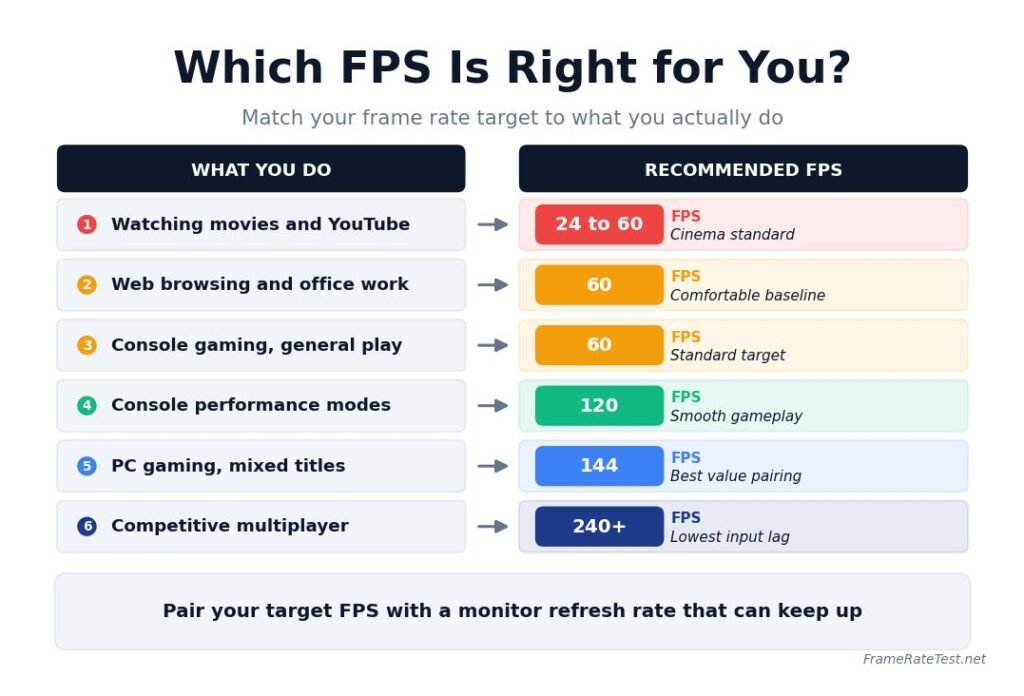
| User Type | Recommended FPS Target | Explanation |
|---|---|---|
| Casual users | 60 FPS | Enough for daily use, web browsing, and media consumption. |
| Console players | 60 to 120 FPS | Aim for 60 FPS for stability, use 120 FPS modes when supported. |
| PC gamers | 144 FPS | Strong balance of smoothness and performance for most gaming setups. |
| Competitive players | 240 FPS or higher | Provides lowest latency and best responsiveness for fast-paced gameplay. |
Conclusion
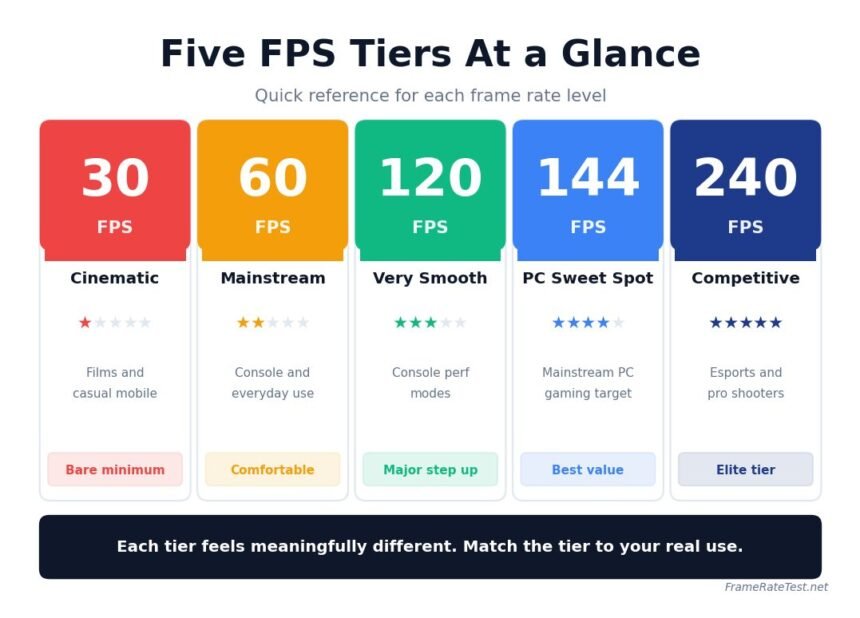
Each frame rate tier offers a different level of smoothness and responsiveness. The biggest improvement happens between 30 and 60 FPS, while higher tiers refine the experience further.
The right choice depends on your usage. For most people, 60 to 144 FPS provides the best balance of performance and cost. Higher frame rates are most valuable in competitive environments where every millisecond counts.
Instead of chasing the highest number, focus on stable performance, proper hardware pairing, and a frame rate that matches how you actually use your device.
Disclaimer
This article is provided for informational and educational purposes only. Frame rate and performance can vary depending on hardware, software, and system conditions. Results from testing tools are approximate and should not be treated as exact benchmarks. Always verify specifications with manufacturers before making purchasing decisions.